

Volusion to BigCommerce Migration: The Complete SEO Checklist

A Volusion to BigCommerce migration should be managed as an SEO risk-control project, not as a general redesign or a generic BigCommerce SEO cleanup. The goal is not to promise perfectly stable search rankings through launch; short-term movement can happen when URLs, templates, internal links, and crawl signals change. The goal is to prevent avoidable losses caused by migration defects that were never measured, mapped, tested, or monitored.
The highest-risk issues are usually practical ones: old Volusion URLs that return 404s instead of reaching the closest new BigCommerce page, redirect chains that slow discovery, product or category templates that drop title tags and meta descriptions, duplicate URL paths that split signals, accidental noindex rules, analytics gaps that hide revenue changes, and weak post-launch monitoring that lets problems compound.
BigCommerce is one platform option within a broader eCommerce ecosystem that also includes Shopify, Volusion, Magento, and WordPress, so this checklist focuses on the SEO controls that change during this specific platform move rather than turning the migration into a platform comparison.
Use the sections that follow as a phased checklist: establish the Volusion baseline, map URLs and redirects, preserve proven on-page assets, configure the new store carefully, crawl before launch, validate launch-day signals, and monitor organic traffic, indexing, and revenue after the switch.
1. Build Your Pre-Migration SEO Baseline Before Anything Changes
Start by freezing a complete record of the current Volusion site before templates, navigation, products, or URLs are changed. This baseline becomes the control sample for the website migration: it shows which pages already earn traffic, rankings, links, and revenue, so the team can protect those assets first and investigate post-launch changes with evidence instead of guesswork.

- Export a full URL inventory. Capture every indexable product URL, category URL, brand or manufacturer page, blog post, buying guide, support page, and custom landing page. A strong inventory includes the live URL, page type, status code, indexability, canonical URL, title tag, meta description, H1, word count, image URLs, and inlinks. A weak inventory is only a product CSV, because it misses content pages and legacy URLs that may still rank.
- Crawl the live Volusion store. Use a crawler such as Screaming Frog, Sitebulb, or a similar tool to collect metadata, canonical tags, internal links, image references, sitemap URLs, broken links, redirected URLs, duplicate titles, and thin or orphaned pages. The practical takeaway is simple: the crawl shows what search engines and users can currently reach, not just what exists in the admin panel.
- Export Google Search Console performance data. Pull top pages, top queries, clicks, impressions, average position, and click-through rate for at least the last 3 to 12 months where available. Also save indexing, sitemap, and page experience reports. Queries show demand; pages show which URLs capture that demand. During an eCommerce platform migration SEO review, both are needed because a page can be commercially important even if its keyword list is fragmented.
- Export analytics and revenue baselines. From Google Analytics or the store’s analytics setup, save organic landing pages, sessions, transactions, revenue, conversion rate, assisted conversions, and top organic revenue pages. Prioritize pages that combine revenue with traffic: a category page with modest sessions but high conversion value may deserve more attention than a high-traffic informational page with little commercial impact.
- Save ranking and backlink exports. Export tracked rankings for priority commercial queries and collect backlink data for linked product, category, and content URLs. Rankings identify search terms to monitor after launch; backlinks identify URLs that carry external authority and should not be allowed to disappear unnoticed.
For a Volusion migration to BigCommerce, organize the baseline into a single workbook with tabs for URLs, metadata, analytics, Google Search Console data, rankings, backlinks, and revenue priority. Add a “migration priority” column so high-value URLs are easy to identify before redirect mapping begins.
2. Create a URL Map and 301 Redirect Plan for Every Important Volusion URL
Use the priority column in that workbook to turn the baseline into a redirect plan, not just a list of old pages. For each Volusion URL, add columns for the proposed BigCommerce URL, page type, destination type, priority level, redirect status, test result, and notes. This URL mapping file becomes the launch-day control sheet for preventing valuable legacy pages from turning into avoidable crawl errors.
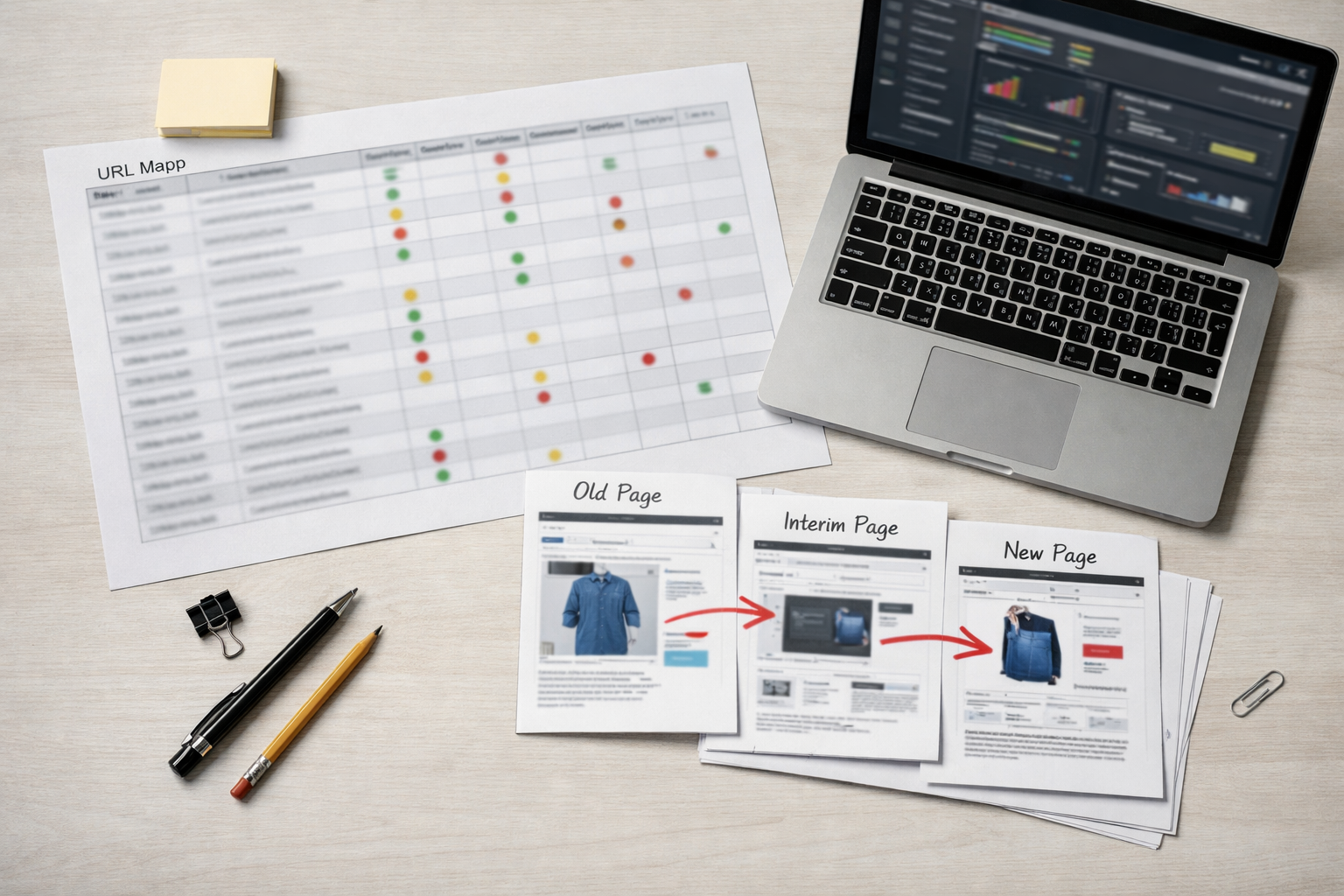
- Map like-for-like pages first. A Volusion product URL should point to the same product on BigCommerce, and a Volusion category URL should point to the closest matching BigCommerce category. This preserves the clearest topical match for users and search engines. Example:
/ProductDetails.asp?ProductCode=ABC-123should resolve to the new ABC-123 product page, not a broad category or the homepage. - Handle discontinued products by intent. If a product is permanently retired, send the old URL to the best substitute product when one exists. If there is no close replacement, use the most relevant parent category. The key distinction is specificity: a replacement product is stronger when it satisfies the same search intent; a category is safer when no equivalent product exists.
- Keep returning out-of-stock products on their product page. If the item will be restocked, redirect the old Volusion URL to the new BigCommerce product URL and keep the page live. Treat it differently from a discontinued item because the destination should remain the exact product, not a substitute.
- Map content URLs to content URLs. Buying guides, blog posts, sizing charts, warranty pages, FAQs, and custom landing pages should move to equivalent BigCommerce pages or matching CMS pages. Do not let non-product content disappear simply because it is not part of the product catalog; these pages may support rankings, links, and assisted sales.
- Make parameter and filter decisions intentionally. Volusion URLs with sorting, tracking, search, category filters, or session-style parameters should not all be treated the same. If a parameter URL is indexed, earns organic traffic, has backlinks, or appears as a landing page, map it to the cleanest equivalent page. If it has no organic value and only creates duplicates, leave it out of the priority redirect set or route it to the canonical parent where appropriate.
Prioritize implementation in this order: highest organic revenue, highest organic landing-page traffic, strongest backlink targets, ranking pages for important commercial queries, indexed URLs, then the remaining crawlable legacy URLs. This does not mean low-priority URLs can be ignored; it means the highest-risk redirects are built and tested first during the Volusion to BigCommerce migration.
A strong redirect implementation uses one-hop 301 redirects from each old URL to the final new URL, avoids loops, preserves query-parameter decisions deliberately, and sends users to the most relevant destination. A weak implementation redirects everything to the homepage, stacks old-to-intermediate-to-new paths into chains, ignores retired products, or treats every filtered URL as if it has the same value.
Before launch, test the redirect file with a crawler or bulk status-code checker. The pass condition is simple: priority Volusion URLs return 301 status codes, land on the intended BigCommerce URLs, do not chain through extra hops, do not loop, and do not collapse into mass homepage redirects. Mark each row as passed, failed, or needs review so unresolved URLs are visible before DNS changes.
3. Preserve the On-Page SEO Assets That Already Work
After redirects, the next control point is the page-level content that helped the old store earn visibility in the first place. Treat metadata migration as part of store data migration, with field-by-field transfer and QA rather than a design afterthought.
- Preserve proven title tags and meta descriptions. Title tags are the clickable page titles search engines may use; meta descriptions are the summary text that can influence clicks. Export them from Volusion, import them into the matching BigCommerce fields, and compare a before-and-after crawl for missing, duplicated, truncated, or template-generated replacements.
- Carry over unique H1s and visible copy. The H1 is the main on-page heading, while product descriptions and category copy explain relevance in the body of the page. For high-performing pages, keep the wording stable through launch unless it is clearly wrong, outdated, or duplicated across many pages.
- Protect category and editorial content. Buying guides, blog posts, sizing charts, comparison pages, and how-to content should move with their headings, body copy, internal links, images, and calls to action intact. These pages often support product discovery even when they are not checkout pages.
- Retain image alt text where it is descriptive. Alt text describes an image for accessibility and image relevance. A useful value names the product or feature shown; a weak value is empty, keyword-stuffed, or copied across unrelated images.
- Review internal links after URLs change. Internal links point users and crawlers from one store page to another. Update links inside descriptions, category copy, banners, guides, and blog content so they point directly to the new BigCommerce URLs instead of relying on redirects.
- Validate canonical tags and SEO-friendly slugs. A canonical tag identifies the preferred version of a page when similar URLs exist; a slug is the readable part of the URL path. Keep clean, relevant slugs where possible, and make sure BigCommerce templates do not replace unique canonicals with a generic or incorrect pattern.
Use the migration to improve only after the baseline is protected. Safe post-transfer fixes include thin manufacturer descriptions, categories with no intro copy, missing alt text, and weak internal links. Risky launch-day changes include rewriting top organic product pages, changing category themes without a reason, or allowing a new template to overwrite custom title tags, meta descriptions, H1s, canonicals, or body copy across the catalog.
4. Protect Product and Category Page Performance During the Move
At the catalog level, the migration risk is not just missing text; it is losing the commercial context that helped shoppers and search engines understand which pages deserve attention.
- Lock priority product records before import. For top organic and top revenue products, compare Volusion exports against BigCommerce records for SKU, product name, description, brand, price, sale price, availability, variant labels, image order, review content, and related products. A strong match keeps the same purchasable item, proof points, and conversion cues intact; a weak match imports the item but drops variant names, reviews, or image context that supported product page optimization.
- Treat variants as an SEO structure decision. A variant is a selectable version of one product, such as size, color, finish, or pack quantity. If variants belong on one product page, keep them consolidated so authority and reviews are not split across near-duplicate URLs. If a variant has distinct demand, copy, imagery, and inventory value, it may deserve its own page. The practical test is whether the page can stand alone without being thin or duplicative.
- Preserve category pages as landing pages. Category pages are not only navigation shelves; they often target broad commercial searches and guide shoppers into product sets. Keep high-performing category names, intro copy, product ordering logic where it matters, breadcrumbs, internal links, and indexable destination URLs. If a Volusion category becomes a BigCommerce category or collection pages-style landing experience, make sure it still has enough unique copy, relevant products, and crawlable links to justify indexation.
- Map merged categories deliberately. When two legacy categories become one, redirect both old URLs to the strongest combined destination and merge the useful copy, filters, and internal links instead of discarding one category’s relevance. For example, “Paintball Masks” and “Paintball Goggles” may merge cleanly if the new page reflects both terms; a generic “Accessories” destination is a weaker match.
- Handle retired products by intent, not convenience. If a discontinued product has a close replacement, send users to that replacement and explain the substitution on the destination page when possible. If there is no substitute, a relevant parent category is usually more useful than the homepage. Avoid creating orphaned retired-product pages that remain indexable but offer no stock, no alternatives, and no internal path forward.
- Control faceted navigation before it multiplies URLs. Facets are filters such as size, color, brand, price, rating, and availability. They help shoppers narrow results, but unrestricted filter combinations can create duplicate or thin pages. Decide which filtered views deserve crawlable landing pages and which should remain user-only navigation signals, then keep internal links focused on the pages you actually want discovered.
Before launch, sample the highest-value product and category templates side by side: one Volusion URL, one BigCommerce URL, one screenshot, and one row in the QA sheet. The pass condition is that the new page preserves the item or category’s search intent, buying information, internal link paths, and conversion-supporting elements without creating duplicate, thin, or orphaned alternatives.
5. Configure BigCommerce Technical SEO Before Launch
The template sample should also include the technical signals that search engines see in rendered HTML, because a visually complete page can still send weak crawl, indexation, or duplication signals.
- Set SEO-friendly URL patterns before redirects are finalized. A clean product or category URL is readable, stable, and aligned with the redirect map; a weak pattern adds unnecessary folders, parameters, or alternate paths that create more redirect work. Choose the final URL format early, then avoid changing it after launch unless there is a clear SEO reason.
- Force a single HTTPS version of the store. SSL protects the checkout experience and keeps the live site on secure URLs. The practical SEO checkpoint is consistency: every internal link, canonical tag, redirect destination, image, script, and stylesheet should resolve on the same HTTPS host without mixed-content warnings.
- Validate canonical tags in rendered HTML. A canonical tag tells search engines which version of a page should be treated as the preferred URL when duplicates or near-duplicates exist. Product pages, category pages, filtered URLs, and variant-related views should canonicalize to the page you want indexed, not to a staging URL, an old Volusion URL, or a parameterized duplicate.
- Review robots.txt for crawl access. Robots.txt controls crawler access at the path level. A good file keeps important product, category, brand, blog, and content pages crawlable while limiting low-value areas such as cart, checkout, account, internal search results, and unnecessary filtered combinations.
- Inspect the XML sitemap before it is used as a launch signal. The XML sitemap should contain final indexable URLs only. Remove staging URLs, redirected URLs, noindex pages, duplicate parameter paths, and discontinued pages that no longer have a search-worthy destination.
- Test structured data on the live templates. Product schema should describe the product users can buy: name, SKU, image, price, availability, brand, reviews, and ratings where those fields are present on the page. Missing or mismatched schema is a weak signal; schema that reflects visible page content is the pass condition.
- Measure theme performance and mobile usability before launch. BigCommerce SEO depends partly on how the selected theme, scripts, images, apps, and tracking tags perform in practice. Compress oversized images, limit unnecessary scripts, test mobile navigation, and make sure product options, filters, buttons, and checkout paths remain usable on small screens.
- Control pagination, filters, and internal search indexation. Pagination helps users move through product lists; filters narrow those lists; internal search creates result pages from on-site queries. The SEO decision is which of those URLs should be discoverable landing pages and which should stay out of the index to avoid thin, duplicate, or endlessly generated pages.
BigCommerce can support strong eCommerce SEO when these controls are configured deliberately, but default settings and theme output should not be treated as automatically correct. Before the Volusion to BigCommerce migration goes live, crawl the new store and compare rendered titles, meta descriptions, canonicals, schema, indexability, robots rules, sitemap URLs, and duplicate patterns against the migration workbook.
6. Set Up Tracking, Search Console, and Sitemap Submission Correctly
Measurement has to be treated as launch infrastructure, not a post-launch cleanup task. If tracking breaks during a Volusion to BigCommerce migration, the team may mistake missing data for an SEO decline, or miss a real traffic and revenue problem because the reports are incomplete.
- Validate analytics before the domain switch. In Google Analytics, test page views, product views, add-to-cart events, checkout steps, purchases, transaction IDs, revenue, tax, shipping, and coupon data. A strong signal is a test order showing the correct source, medium, landing page, item data, and revenue; a weak signal is traffic appearing without eCommerce events.
- Test Google Tag Manager if it controls your tags. GTM is a tag container: it lets teams deploy analytics, advertising, and event tags without hardcoding each one separately. The tradeoff is that one broken trigger can affect multiple platforms, so preview the container on key BigCommerce templates before launch.
- Verify Google Search Console for the final store version. Use the final domain and protocol that shoppers will access, such as the HTTPS version of the primary host. This matters because Search Console reporting is tied to the verified property, and using the wrong version can fragment visibility into indexing, clicks, queries, and crawl issues.
- Submit the XML sitemap only after it reflects final URLs. The sitemap is a discovery file, not a redirect map. Submit the BigCommerce sitemap after staging URLs, redirected URLs, noindex pages, and obsolete Volusion paths have been removed.
- Test robots access from the live-facing configuration. The pass condition is simple: priority product, category, brand, content, and blog URLs are crawlable, while low-value cart, account, checkout, and internal search paths do not become index targets.
- Add Bing Webmaster Tools if Bing traffic or paid search matters to the store. It provides a separate search-engine view of crawl, indexing, and sitemap signals, which can help distinguish a Google-only issue from a broader site problem.
- Update rank tracking to the new URL set. Keep the old Volusion URLs in the report as legacy references, but add the mapped BigCommerce URLs so ranking changes can be tied to the correct destination pages.
- Annotate the launch date everywhere performance is reviewed. Add a clear migration note in analytics reports, rank trackers, SEO dashboards, and the migration workbook. That single marker helps separate normal launch volatility, reporting gaps, redirect issues, and genuine organic performance losses.
7. Run a Pre-Launch SEO QA Crawl Before DNS or Domain Changes
The final QA pass should produce a crawl export that the team can approve or reject before any DNS, domain, or launch-window change is made, ensuring common SEO migration mistakes are caught before launch.
- Crawl the BigCommerce preview or staging site. Export status codes, indexability, title tags, meta descriptions, H1s, canonical targets, internal links, image references, and pagination. The pass condition is that priority product, category, brand, content, and blog templates return clean 200 responses and retain the expected SEO fields.
- Compare page counts against the Volusion baseline. A perfect one-to-one count is not always expected because filters, discontinued products, and legacy pages may change, but large unexplained gaps are a warning. For example, 1,200 indexed Volusion product URLs becoming 700 crawlable BigCommerce product URLs needs a page-by-page explanation.
- Test redirects in a non-live environment if available. Use the redirect map to validate old Volusion URLs against their intended BigCommerce destinations. Mark failures for missing redirects, redirect chains, loops, and irrelevant homepage redirects.
- Check indexation controls. A meta robots noindex tag tells search engines not to index a page, while a robots.txt disallow blocks crawling. A password gate blocks access entirely. These controls serve different purposes, so make sure staging protections do not remain on launch-ready templates.
- Validate canonical tags. Each indexable product or category page should point to its preferred final URL, not to a preview URL, duplicate filtered URL, or old Volusion address.
- Test navigation and internal links. Header menus, footer links, breadcrumbs, category grids, related products, faceted navigation, and content links should send users to final BigCommerce URLs without crawl errors.
- Review 404 behavior and speed signals. The 404 page should clearly keep users in the store, and slow templates should be flagged before launch because product images, apps, scripts, and theme code can change page experience.
- Manually QA top organic landing pages and revenue pages. Open each page as a shopper and as an SEO reviewer: product details, pricing display, variants, add-to-cart, reviews, metadata, schema output, links, and tracking triggers all need to work together.
Do not launch until fixed: noindex on key pages, robots.txt blocking important sections, broken primary navigation, missing priority redirects, 500-level errors, canonical targets pointing to staging or legacy URLs, checkout tracking failure, or a major unexplained drop between the old Volusion URL inventory and the new crawlable BigCommerce pages.
8. Validate Redirects, Crawlability, and Revenue Signals on Launch Day
Once the domain resolves to the BigCommerce storefront, switch from approval mode to incident response: the first few hours should be spent proving that search engines, shoppers, and revenue tracking can all reach the right places.

- Spot-check priority redirects. Test the highest-value Volusion URLs first, including revenue pages, backlink targets, and ranking category pages. A strong result is an old product URL landing in one hop on the matching BigCommerce product URL; a weak result is a 404, redirect loop, or homepage fallback.
- Crawl legacy and new URLs. Run a crawl from the old URL list to validate redirect status, then crawl the live BigCommerce URLs to catch broken internal links, unexpected 404s, and server errors introduced during launch.
- Test robots.txt, sitemap, and Search Console signals. Robots.txt controls crawler access, while the XML sitemap lists preferred discoverable URLs. Make sure both are publicly reachable, submit the live sitemap, and inspect sample product, category, and content URLs in Google Search Console for crawlability and indexability signals.
- Validate analytics, ecommerce tracking, and checkout. Place a test order if possible, then confirm sessions, add-to-cart events, purchase events, revenue, source attribution, and confirmation-page tracking are firing correctly.
- Monitor errors immediately. Watch crawl reports, platform logs, payment errors, app errors, and 500-level responses. When you migrate from Volusion to BigCommerce, launch-day defects are easier to contain when they are found within hours instead of after weeks of lost data and missed sales.
Keep SEO Protection at the Center of Your BigCommerce Migration
The work does not stop when the first live crawl passes; it becomes a controlled monitoring cycle that compares the new store against the baseline you built before launch.
- Before migration: lock the Volusion benchmark. This is the reference set for URLs, rankings, organic landing pages, metadata, backlinks, and revenue contribution, so later changes can be judged against real pre-launch performance instead of opinion.
- During build: use the redirect map as the protection layer between old and new URLs. Product pages should point to matching products, categories to matching categories, and discontinued items to the closest useful alternative rather than a generic destination.
- Before launch: preserve the on-page assets that already carry search value. Titles, descriptions, headings, product copy, category copy, image attributes, reviews, and internal links should survive the move unless there is a deliberate reason to improve them.
- Technical setup: configure BigCommerce so crawlers can reach the right pages, read the right canonical signals, and discover the live XML sitemap. A clean setup supports eCommerce SEO; a visually finished storefront with blocked, duplicated, or thin pages does not.
- Launch and after: validate analytics, conversion tracking, Search Console signals, redirects, crawl errors, rankings, and organic revenue in scheduled checkpoints.
A successful Volusion to BigCommerce migration is not just a completed data transfer. It is the result of preparation, controlled implementation, pre-launch QA, launch-day validation, and post-launch monitoring that keeps organic visibility tied to measurable business outcomes.