

JMAC Supply
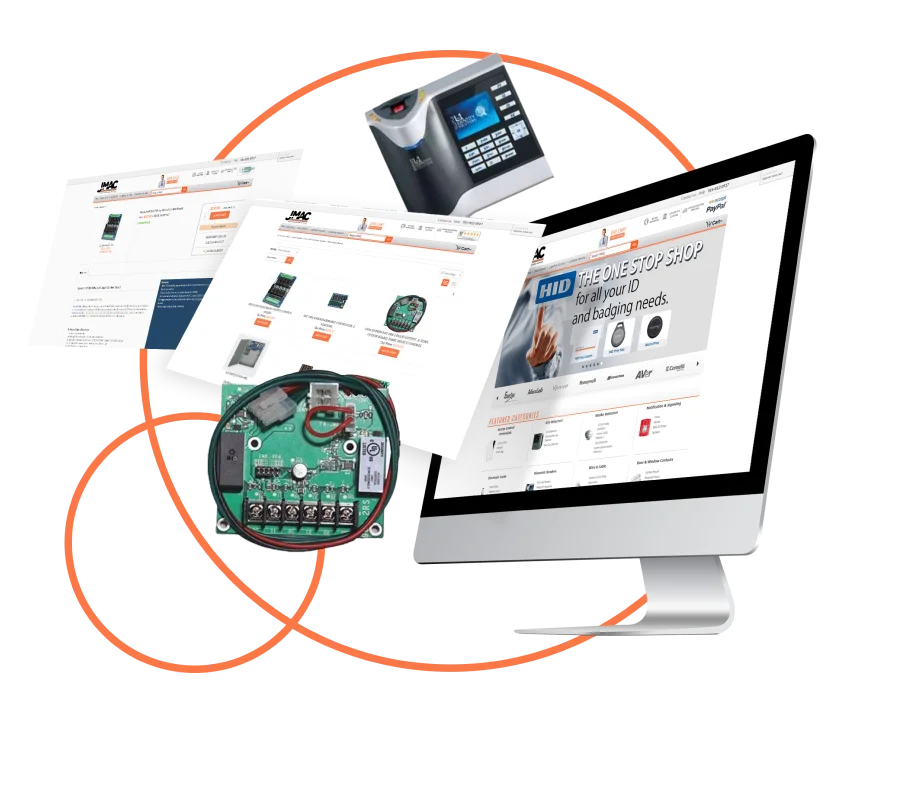
The published case documents a Volusion to BigCommerce project. It describes the source storefront and the catalog, mobile experience and redesign requirements.
Read the published case We help you sell moreRequest a Free Quote
Move defined records into BigCommerce while your existing destination design stays in place or another team handles the storefront. MAK Digital helps you scope the catalog, content and operational data, how records relate, and how the transfer will be checked.
Share the source platform, destination status and team responsible for the wider launch. Data transfer and reconciliation are separate from a redesign or ongoing synchronization.
Compare data-only work with a full replatform in our eCommerce data and platform migration services. Define the record inventory, exclusions, trial transfer and launch acceptance before finalizing this BigCommerce route.
15
Fifteen years of building, migrating, and growing online stores for B2B and B2C brands.
30+
SEO, AI search, paid media, design, and development experts under one roof.
USA
A US-based core team you talk to directly, backed by vetted specialists worldwide.
4.9
Average score across 650+ verified client reviews.
What this work covers
Questions to resolve: Which records and relationships are needed?
Acceptance evidence to discuss: Representative mappings and option/variant review
Questions to resolve: How should records be organized and connected?
Acceptance evidence to discuss: Category assignments, image relationships and exception checks
Questions to resolve: What is required, available and supported by the transfer approach?
Acceptance evidence to discuss: Identifier mapping, relationship checks and documented exclusions
Questions to resolve: Which fields belong in the transfer?
Acceptance evidence to discuss: Source/target mapping and representative page review
Questions to resolve: Which records need cleanup or manual decisions?
Acceptance evidence to discuss: Exception list, decisions and reconciliation criteria
What this work covers
Source and destination structures may differ. Discuss identifiers, required fields, option structures and records that do not fit the intended destination model.
Record the decisions so a count difference or changed representation can be explained. A migration should not silently treat excluded or transformed records as an unexplained loss.
What this work covers
Record counts are useful, but they do not establish that the data is correct on their own. A review should include representative records, relationships and cases that need special treatment.
Identify how discrepancies will be investigated, who approves exceptions and what must be checked again after corrections. Agree on which checks belong to the transfer and which belong to the storefront or operational team.
What this work covers
If the source store remains active, orders, customers or catalog details may change while the destination is being prepared. Discuss whether a final update is required, what it covers and who owns the timing.
Also identify access, source-data availability and any dependencies on other providers. Keep passwords, credentials and customer records out of an initial inquiry; agree on handling separately.
What this work covers
A transfer does not by itself define a new storefront, replace integrations or launch the site. For a connected project covering those workstreams, visit BigCommerce store migration services.
For data that must continue moving between live systems, explore BigCommerce API integration. Ongoing synchronization is a different requirement from a one-time transfer.
Each route has its own page covering that platform's data quirks, from Shopify's three options to Magento's attribute sets. The free audit drafts a task list for your store in a couple of minutes.
What this work covers
Identify required fields, record relationships and representative source examples.
Agree supported behavior, exclusions and cleanup decisions before importing.
Review counts, representative records and relationships; assign discrepancy resolution and acceptance.
These are broader migration projects, not claims that each was a standalone data-only engagement. Read each published case for the work it documents.
The published case documents a Volusion to BigCommerce project. It describes the source storefront and the catalog, mobile experience and redesign requirements.
Read the published case
The published case documents a Magento to BigCommerce project. Its narrative covers the source Magento implementation, a custom Stencil theme and B2B requirements.
Read the published caseStores that came to BigCommerce with us and kept their customers, their order history, and their rankings.
ANSGear
★★★★★
“I've been trying out various website and marketing firms since 2008, and let me tell you, MAKDigital not only takes the cake for professionalism but they're also the most hands-on crew I've ever collaborated with.”
Marc Frankel
CEO, Longislandwatch.com
★★★★★
“The MakDigital crew whipped up a gorgeous website for me, and they went the extra mile! The bespoke site they churned out knocked my socks off and exceeded all my expectations.”
John
Pool & Hot Tub Depot
★★★★★
“Working with this team has been an absolute pleasure! Their dedication to creating successful e-commerce stores is unmatched. We collaborated seamlessly, and their expertise helped us achieve outstanding results. Our online store has seen tremendous growth and success thanks to their guidance and support. Highly recommended!”
Send us your store URL. We will count your records, flag the ones that need restructuring, and tell you honestly whether to use the app or hire us, with a fixed price if it is us.
The free app, tools, orders, customers, passwords, plans, redirects, timing, and cost.
Moving your store's data into BigCommerce from another platform, a spreadsheet, an ERP, or another BigCommerce store: products and variants, customers, order history, reviews, content, gift certificates, and the redirects that keep your rankings. It is the data part of a replatforming, and it can also run on its own when the storefront is handled separately.
For many simple stores, yes. It moves up to 500,000 product, customer, and order records from Shopify, Magento, WooCommerce, Volusion, or ZenCart, and creates redirects for the products it moves. It is not built for data that needs cleaning or restructuring, custom fields and B2B pricing, reviews and blog content, redirects for every URL, or a re-sync at launch. Our free audit tells you which side of that line your store is on.
Those tools move standard data from a long list of platforms quickly and offer a free demo, and they suit a tidy catalog and a team with time to check the result. Data that needs restructuring, custom logic, B2B pricing, or full redirect coverage is where a managed migration pays for itself.
Products with variants, images, categories, brands, custom fields, and inventory; customers with addresses, groups, and store credit; full order history; product reviews; blog posts and pages; gift certificate balances; coupons; price lists; and SEO data with 301 redirects. Customer passwords are the one thing no platform can hand over.
No. BigCommerce exports orders to CSV but imports them only through its API, which is how we create your historical orders with line items, totals, and customer links intact.
Not when they are imported correctly. BigCommerce sets plans by trailing twelve-month sales, and orders created with its migration flag are excluded from that total and do not deduct stock. We flag every historical order that way.
No. Other platforms do not release password hashes in a form BigCommerce can use. Accounts, addresses, and order history move; customers set a new password once, and we write and schedule the reset email so it goes smoothly.
Not with the redirects done properly. Every indexed URL is mapped to its new address and loaded as a 301 before the domain switches, titles and descriptions move with each item, and we watch Search Console for weeks afterward. Your store needs a paid BigCommerce plan by then, because trial stores cannot import redirects.
Yes. Merging stores, splitting one, moving to a new store for a rebrand, or consolidating several stores into one Multi-Storefront catalog. BigCommerce has no built-in store copy, so we move the data by API with the same checks as any other migration.
No. Your current store keeps taking orders while the data moves in the background. Right before launch we re-sync everything that changed, and the domain switches at a quiet hour with the redirects already live.
Most take two to six weeks, depending on how many records you have, how clean they are, and how many kinds of data move. A full replatforming with a new storefront and integrations takes longer, and the data runs in parallel with that work.
The free app costs nothing, self-serve tools charge by the records you move, and a managed migration is quoted on your record counts, data quality, and custom data. Ours is a fixed price after the audit, and some BigCommerce migrations qualify for our free migration offer.
The count is a starting point. The fields, relationships, source quality and validation requirements also affect the work. Share representative non-sensitive examples and the intended scope.
The answer depends on the source, destination and transfer approach. Confirm the required behavior and any exclusions rather than assume every record and relationship can be reproduced unchanged.
Include the current platform, destination status, data areas and the team handling the wider project. A field inventory and explanation of known data issues are more useful than sensitive raw exports in an initial inquiry.
Provide the source platform, the destination store, the record types to move and any known mapping or relationship requirements. The scope should also define reconciliation checks and responsibility for changes made during the transfer.
From the eCommerce Experts
A WooCommerce to BigCommerce migration is not only a catalog, theme, and checkout project; it is an SEO-risk event. Search engines have…
Read More: WooCommerce to BigCommerce Migration: SEO Steps for a Clean CutoverThis article treats a Magento to BigCommerce migration as a total cost of ownership decision. The pressure usually starts with four line…
Read More: Magento to BigCommerce Migration: Cutting Costs Without Losing FeaturesMoving an established store is never SEO-neutral. Any Shopify to BigCommerce SEO migration can produce temporary movement in search rankings while Google…
Read More: How to Migrate From Shopify to BigCommerce Without Losing RankingsChoosing MAKDigital means partnering with a team of experienced professionals dedicated to your success. We offer tailored solutions, expert advice, and a commitment to delivering exceptional results. Our focus on innovation and customer satisfaction sets us apart in the eCommerce industry.
Twice a month: what changed in Google and AI search, what it means for your store, and exactly what to do about it. Written by the people who build and rank stores for a living.
First issue lands within two weeks. Check your inbox for a hello from us in the meantime.