
BigCommerce V2 to V3: Plan the Catalog Change Before Updating Integrations

First identify what a BigCommerce V2-to-V3 project actually covers. A change to catalog APIs and product representation is a different scope from moving an entire store between platforms.
Before changing an integration or product workflow, inventory the systems that read and write the affected catalog data. The project should explain what will change, which dependencies need review and how existing product behavior will be checked.
Understand the catalog distinction
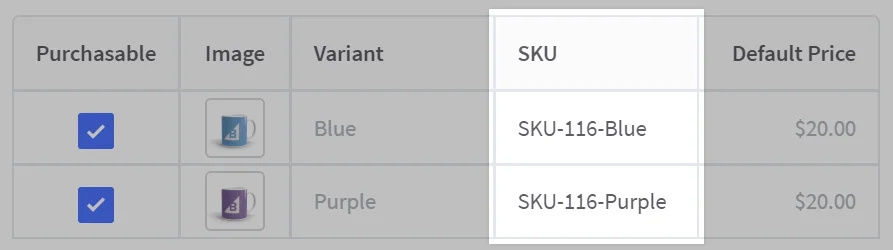
BigCommerce documents differences between the V2 and V3 catalog models, including V3 variants and modifiers. The versions should not be treated as interchangeable representations simply because they operate on the same store. Review the official catalog API migration overview for the current model and compatibility guidance.
For concrete operation differences, use BigCommerce's V2/V3 operations comparison. Confirm current lifecycle information in the official deprecations and sunsets documentation; do not infer a project deadline from an old article.
Inventory the affected workflows
| Area | Questions to resolve before changing anything |
|---|---|
| Data writers | Which apps, imports or custom integrations change catalog records? |
| Product representation | Which representative products have options, variants or other special behavior? |
| Identifiers and relationships | Which external systems depend on existing record identifiers or mappings? |
| Pricing and inventory | Which system owns changes and what behavior must be retained? |
| Validation | Who will compare the expected product and order behavior after the change? |
Record assumptions and unresolved questions before choosing an implementation approach. A short successful API request is not evidence that the complete catalog workflow remains correct.
Use representative products to define acceptance
Select examples that cover the complexity of the real catalog. Include the cases that need special treatment and the integrations that depend on them.
Define the expected storefront, staff and downstream-system behavior. Keep a record of the checks and any intended differences so reviewers can distinguish an agreed change from an error.
Plan the change with the system owners
Identify who maintains each affected tool and which vendor documentation or review is required. Discuss test access, change ownership and the recovery approach before implementation.
Do not paste credentials or customer records into an initial project inquiry. Agree on a suitable way to share diagnostic information and access if further review is needed.
Keep the project scope precise
For an API or integration change, explore BigCommerce API services. For a wider store feature project, see BigCommerce development.
If the actual requirement is moving a store to BigCommerce from another platform, start with BigCommerce migration services instead of treating an API-version change as a complete replatform.
Discuss the catalog workflow you need to change
Request a BigCommerce catalog integration discussion
MAK Digital BigCommerce credentials
Next, develop a detailed BigCommerce migration plan outlining the steps involved, timelines, and potential risks. This roadmap will keep you organized and ensure a smooth transition. Don’t hesitate to seek expert guidance if needed. If navigating the technical aspects of the BigCommerce migration seems daunting, our award-winning BigCommerce agency is here to help. As a certified BigCommerce partner, we specialize in web design, development, and even API development and integration. We’ll work closely with you to create a customized platform migration plan tailored to your unique needs, allowing you to focus on running your business while we handle the technical details.
Original article illustrations are retained below; interface details may differ from the current platform.