
A Complete Guide to BigCommerce Themes

A BigCommerce theme should fit the way customers browse and buy your products. Evaluate the actual catalog, mobile experience and content workflow before choosing a theme or commissioning custom work.
What a BigCommerce theme controls
A theme provides the storefront presentation. BigCommerce describes Stencil as its theme engine for hosted storefronts. Review a theme’s current listing and documentation to establish what its layouts, settings and supported integrations cover.
A demo is a starting point for evaluation. It does not prove how your catalog, apps or content will behave after implementation.
Choose for your catalog and customers
Test representative categories, products with options, long titles and varied photography. Review navigation, filters, product information and the path to purchase using your own content. Confirm how customers will find important details on a small screen.
- Can shoppers compare the product information they need?
- Does the navigation fit your category structure?
- Do product options and purchasing rules work as required?
- Can your team maintain the content without a separate development task for every update?
Review a theme before committing
| Review area | Check with your own store |
|---|---|
| Mobile shopping | Navigation, product choices, cart and checkout journey |
| Accessibility | Keyboard use, visible focus, readable text and useful labels |
| Content editing | Which elements staff can change and which require development |
| Apps and integrations | Compatibility and ownership of additional work |
| Performance | Representative pages with your images, apps and scripts under documented test conditions |
| License and support | Current terms, update responsibilities and support coverage |
This review list describes evaluation scope. It is not a claim that every theme includes these capabilities or achieves a particular performance result.
Where to find BigCommerce themes
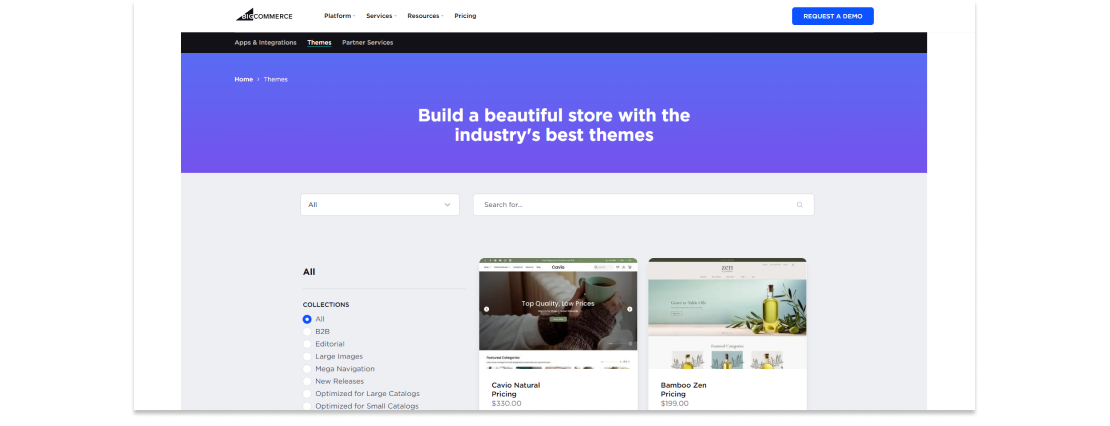
Start with the official BigCommerce theme store and the theme developer’s current documentation. Compare demos, license terms and support arrangements. Confirm whether the proposed setup needs additional apps or custom work before comparing total costs.
Published MAK Digital theme examples
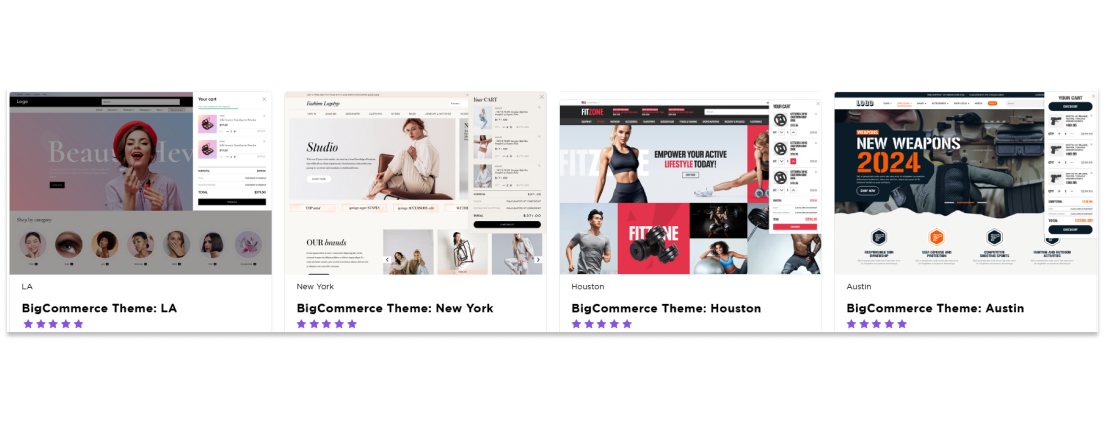
The MAK Digital theme collection includes Austin, New York, Houston and LA. Explore the published theme collection, including New York, Houston and LA. Check each current listing for availability, included functionality and terms.
These are published design examples, not evidence of a guaranteed speed, conversion or revenue improvement. For client project context, browse the BigCommerce portfolio.
Configuration, Stencil customization or redesign?
Configuration scope: review the selected theme’s available settings and content controls against your requirements.
Customization scope: when a required interaction or layout is outside those controls, define the change and its testing requirements with a BigCommerce Stencil developer.
Design scope: when the shopping journey or visual system needs broader work, review BigCommerce web design. Define related integrations and custom functionality through BigCommerce development. These are ways to scope work, not fixed packages of included changes.
Plan the change and acceptance checks
Document the templates to change, retained content, app dependencies, test cases and launch responsibilities. If the work accompanies a platform move, include the migration route and migration evaluation. Include SEO checks where URLs, content or internal links will change.
Discuss your theme requirements with MAK Digital using a few representative products and the workflows your new storefront must support.
Original article illustrations are retained below; interface details may differ from the current platform.