
WooCommerce to BigCommerce Migration: SEO Steps for a Clean Cutover
A WooCommerce to BigCommerce migration is not only a catalog, theme, and checkout project; it is an SEO-risk event. Search engines have to reprocess changed URLs, templates, internal links, structured data, canonicals, sitemaps, and page signals, while customers may still be landing on product, category, and blog pages from organic search. Some ranking and traffic movement after a platform move is possible, but the avoidable damage usually comes from weak cutover discipline: broken URLs, broad redirects, missing metadata, duplicate paths, changed navigation, or analytics gaps that hide what happened.
The practical goal is not to promise unchanged rankings. The goal is to preserve the assets that already earn visibility and revenue. A strong migration protects crawlability so search engines can reach the new pages, relevance signals so product and category pages still match the queries they ranked for, and measurement so the team can separate normal launch volatility from a serious indexation or tracking problem. That is where BigCommerce SEO work begins: before launch, not after traffic drops.
Good cutover decisions are specific. A retired WooCommerce product URL should point to the closest live BigCommerce product, replacement, or category, not to the homepage by default. A category page that ranked for “men’s waterproof hiking boots” should map to a page with the same buying intent, not a generic footwear collection. Product descriptions, title tags, image alt text, reviews, internal links, canonical behavior, XML sitemaps, and tracking scripts all need the same treatment: identify what carries eCommerce SEO value, move it deliberately, test it before launch, and monitor it after go-live.
This playbook follows that sequence: benchmark current performance, inventory URLs, build the redirect map, preserve on-page signals, configure the new store, QA product and category visibility, launch cleanly, and watch search data closely afterward.
Benchmark Current SEO Performance Before Anything Moves
Before a single template or URL changes, freeze a working copy of the store’s current organic footprint. This baseline becomes the migration scoreboard: it tells the team which pages deserve the most protection, which losses are meaningful after launch, and whether a decline is caused by tracking, crawling, redirects, content changes, or demand shifts.
Start with Google Search Console exports for top pages, top queries, indexed URLs, and current coverage issues. Top pages show which WooCommerce URLs already earn impressions and clicks; top queries show the language those pages are relevant for; indexed URL data shows what Google has actually accepted into search; coverage issues reveal existing indexation problems that should not be mistaken for migration damage later.
Export analytics data by organic landing page, not just by channel. Include organic sessions, revenue, conversion rate, transactions, and assisted conversions where available. A product page with moderate traffic but high revenue should outrank a blog post with high visits and weak commercial impact. This is where eCommerce SEO benchmarking becomes practical: protect the pages that carry traffic, revenue, search rankings, and customer intent.
As part of a pre-migration ecommerce SEO audit, run a full crawl of the WooCommerce site before the build is changed. Capture status codes, indexability, canonical URLs, title tags, meta descriptions, H1s, word count, image references, and internal link counts. A crawl separates page-level assets from assumptions: if a category receives 150 internal links and a product receives 3, that difference matters when rebuilding navigation and templates in BigCommerce.
Pull WooCommerce exports for products, categories, SKUs, slugs, descriptions, images, and inventory status, then compare them against crawl and analytics data. Add backlink-tool exports for URLs with external links, because a lightly visited page may still carry link equity that supports broader visibility. Rank-tracking snapshots should cover priority product, category, and brand terms before launch so post-cutover BigCommerce SEO monitoring has a clean point of comparison.
Build a URL Inventory and 301 Redirect Map
Turn the crawl, analytics, and backlink exports into a single worksheet where every WooCommerce URL has a planned BigCommerce destination, status, and priority. This URL mapping file should include the old URL, new URL, page type, organic sessions, revenue, backlinks, current status code, canonical target, and owner. The goal is not to redirect everything blindly; it is to preserve the paths that users, search engines, internal links, and external sites already depend on.

Use one-to-one 301 redirects for pages with a direct equivalent. A WooCommerce product such as /product/blue-running-shoe/ should point to the matching BigCommerce product URL, not to the homepage or a broad “shoes” category. The same rule applies to active categories, buying guides, brand pages, and blog posts that will exist on the new store. A strong map preserves intent; a weak map collapses many specific URLs into one generic page and forces search engines to reinterpret relevance from scratch.
For discontinued products, choose the closest useful destination. If a replacement model exists, redirect the retired product to that product. If no replacement exists but the category still serves the same shopper intent, redirect to the parent category. If the product is permanently gone and there is no relevant alternative, allowing a clean 404 or 410 can be better than sending users to an unrelated page. The decision criterion is relevance: the destination should satisfy the reason someone clicked the old result.
Categories deserve careful handling because they often carry non-branded commercial traffic. Map old WooCommerce categories to equivalent BigCommerce categories, even if names or hierarchy change. For example, /product-category/mens-jackets/ should redirect to the new men’s jackets category, not a top-level apparel page. Subcategories should keep their specific intent when the assortment still exists.
Handle filtered, parameterized, and media URLs separately. Indexable filtered URLs that earned traffic or links may need a relevant category destination, while low-value sort, pagination, tracking, and session parameters usually should not become hundreds of separate redirect rules. Image and media URLs with backlinks can redirect to the new image asset or the product page that uses the asset. Blog URLs should map article-to-article where possible, especially for guides that support product discovery.
Before launch, test the redirect file with a crawler against a staging or preview environment. Look for missing destinations, redirect chains, loops, soft 404s, mixed trailing-slash patterns, and redirects to pages blocked from indexing. In a WooCommerce to BigCommerce SEO cutover, the best redirect map is specific, measurable, and boring: every high-value old URL has one clear next step, and no important page depends on guesswork after go-live.
Preserve the On-Page Signals That Already Work
The redirect map protects destinations; the page copy and HTML signals protect relevance once users and crawlers arrive there. Treat the strongest WooCommerce pages as assets to migrate, not blank canvases to rewrite during the cutover.
Start with a before-and-after crawl comparison for title tags, meta descriptions, H1s, canonical targets, word count, image alt text, and internal link counts. A title tag is the page-level title search engines can use to understand and display a result; an H1 is the visible main heading that reinforces the page topic for shoppers and crawlers. They do not need to be identical, but they should describe the same product, category, or article intent. A strong migration keeps “Men’s Waterproof Hiking Boots | Brand” aligned with an H1 such as “Men’s Waterproof Hiking Boots,” while a weak one replaces both with a generic “Products” label.
Preserve metadata closely on top organic landing pages, especially products, categories, buying guides, and blog posts that already earn impressions, clicks, or revenue. Meta descriptions do not need to be copied forever, but during launch they should keep the same promise: product type, use case, differentiator, and commercial intent. If a page is thin, duplicated, or poorly written, mark it for post-launch optimization instead of rewriting dozens of ranking pages while URLs, templates, and internal links are changing at the same time.
Export WooCommerce product descriptions, category copy, blog content, image filenames, and alt text before importing to BigCommerce. Product descriptions should retain specifications, fitment notes, materials, dimensions, compatibility language, and other details shoppers use to decide. Category copy should preserve the buying intent of the collection rather than becoming a short merchandising blurb. Blog posts should keep body copy, headings, embedded product references, author/date conventions where relevant, and links to the products or categories they support.
Internal links need the same attention as visible copy. Navigation, breadcrumbs, related products, cross-sells, category tiles, and blog-to-product links all help users move through the store and help crawlers discover priority pages. A good QA pass updates those links to the final BigCommerce URLs; a weak pass leaves old WooCommerce paths buried in menus, product descriptions, and article copy, creating avoidable redirects or broken links. For a clean BigCommerce SEO migration, preserve what is already performing, change only what must change for the platform move, and schedule broader copy improvements after the new store has stabilized.
Configure BigCommerce Technical SEO Settings Before Launch
Before the new templates are exposed to search engines, review the BigCommerce technical SEO setup so the build behaves like the final production store from a crawler’s point of view. Start with URL structure: product, category, brand, and content URLs should be stable, readable, and aligned with the redirect map. A strong setup keeps a migrated product at a specific destination such as /mens-waterproof-hiking-boots/; a weak setup allows multiple versions to compete, such as category-prefixed, parameterized, and search-result URLs all rendering the same product.
Review canonical tags on every indexable template. A canonical tag tells search engines which version of a page should be treated as the preferred URL when similar or duplicate versions exist. Product, category, brand, and article pages should usually point to themselves when they are the clean destination URL. Filtered pages, sort orders, tracking URLs, and duplicate product paths should not create new indexable “main” versions unless they target a distinct search intent.
Robots.txt, XML sitemaps, and HTTPS need to be settled before launch, not patched afterward. On staging, block indexation so preview URLs do not enter search results; on production, remove any temporary block that would prevent the live store from being crawled. The XML sitemap should contain canonical, indexable URLs only, not redirected WooCommerce paths, internal search results, cart pages, duplicate filtered URLs, or staging URLs. HTTPS should be enforced consistently so internal links, canonicals, sitemap URLs, and redirects all resolve to the secure production version.
Pagination and faceted navigation deserve special attention on category pages. Pagination splits a long collection into multiple crawlable pages; faceted navigation creates URL variations from filters such as size, color, price, brand, rating, or availability. The practical distinction is intent: a filtered page like “black leather belts” may deserve indexation if it has search demand and unique merchandising value, while “price low to high + size medium + in stock” is usually a crawl trap. Decide which filtered combinations are indexable, canonicalized, blocked, or left crawlable but non-indexable before launch.
SEO controls are not identical across eCommerce platforms; teams that work across BigCommerce, Shopify, Volusion, Magento, and WordPress routinely account for different platform defaults during migrations. Treat that as a configuration reality, not a reason to turn the project into a platform comparison: the BigCommerce migration SEO task is to make the chosen store output clean, consistent signals.
Finally, crawl the pre-launch BigCommerce site with the final theme, apps, navigation, and tracking scripts enabled. Apps and theme customizations can change headings, inject duplicate schema, alter internal links, add query parameters, slow templates, or output conflicting canonical tags. A good pre-launch crawl shows 200-status canonical pages, self-referencing canonicals where appropriate, clean internal links, sitemap alignment, and no accidental noindex rules on revenue-driving templates.
Protect Product and Category Visibility With Better Page-Level QA
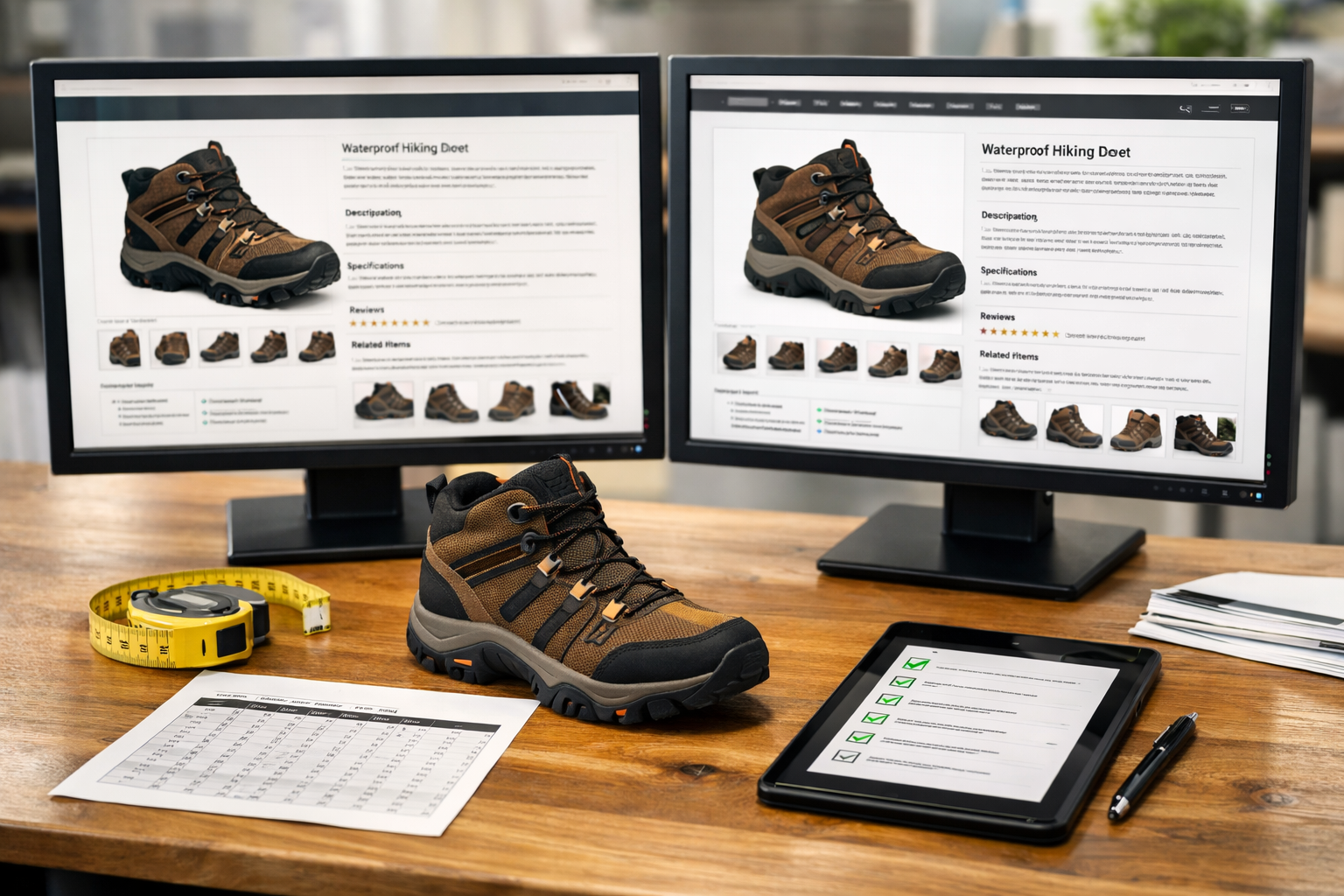
The crawl will not tell you whether a migrated product still deserves to rank for the same searches; that requires a side-by-side page review. Compare the WooCommerce product detail page against the BigCommerce version for product name, H1, description depth, specifications, size charts, downloadable assets, image set, alt text, review count, and related-product links. A strong migration keeps the selling detail and search intent intact; a weak one imports only a short name, price, and thumbnail, leaving the new page too thin to compete.
Variants and inventory states need the same discipline. A variant is a purchasable option under one product, such as size, color, material, or pack count. Keep variants consolidated when they serve the same search intent, because splitting every option into separate near-identical pages can create duplication. Separate pages make sense only when the option has distinct demand, copy, imagery, and internal links. For out-of-stock items, avoid replacing valuable product pages with dead ends; keep useful product information, show availability honestly, and link to close alternatives when the item may return or has a substitute.
Structured data should describe the visible product, not a different or incomplete version of it. Validate sample product pages with a rich-result or schema testing tool and review the product schema fields that matter most for commerce: name, image, SKU, price, availability, and aggregateRating when reviews are actually shown on the page. The practical goal is consistency. If the page displays one price but the markup outputs another, or if reviews disappear from the template while rating markup remains, the page is sending mixed quality signals.
Breadcrumbs and category taxonomy protect category-page visibility. Breadcrumbs show the page’s location in the store hierarchy and reinforce internal links back to parent collections. Taxonomy is the category structure itself: departments, subcategories, brands, and use-case collections. Preserve important WooCommerce categories as crawlable BigCommerce collections when they already capture search demand, rather than flattening them into one generic “Shop All” path.
Finish this QA pass by looking for duplicate and thin category pages. A strong category has a clear theme, crawlable products, useful intro copy, internal links, and a canonical URL. A weak category is only a filtered product grid with no unique purpose. This is where product listing optimization and category cleanup overlap: the BigCommerce SEO migration should leave search engines with fewer ambiguous pages, not more.
Run a Launch QA Checklist Before and During Cutover
Treat the final cutover as a launch gate, not a calendar event. The store should not go live because the theme is approved or the catalog import finished; it should go live when the team has ruled out common ecommerce migration SEO mistakes, the highest-risk SEO checks pass, and every blocker has an owner, a fix, or a deliberate rollback decision.
- Pre-launch: schedule DNS timing for a low-traffic window and make sure the team knows when the domain will point from WooCommerce to BigCommerce. DNS is the domain routing layer; changing it sends users and crawlers to the new store. A controlled window gives developers, SEO, analytics, and merchandising teams time to watch the same release instead of discovering issues hours later.
- Pre-launch: run a production-style crawl against the final BigCommerce URLs. A pass means priority products, categories, blogs, and content pages return 200 status codes, canonical tags point to the intended live URLs, indexable pages are not marked noindex, robots.txt is not blocking important paths, and the XML sitemap contains only crawlable canonical URLs.
- Pre-launch: test 301 redirects from a sample that includes top organic landing pages, top linked pages, best-selling products, important categories, and blog URLs. A strong result sends an old WooCommerce product URL to its matching BigCommerce product page. A weak result sends many unrelated pages to the homepage, a generic sale page, or a redirected URL chain.
- Launch-day: remove temporary crawl restrictions only when the live store is ready to be indexed. Robots.txt controls crawler access, while noindex controls whether a page can appear in search results. The practical pass is simple: public product, category, brand, and content pages are open; checkout, cart, account, search-result, and utility paths remain controlled.
- Launch-day: validate Google Tag Manager, GA4, ecommerce events, ads pixels, and conversion tracking with real test actions. Page views, product views, add-to-cart events, checkout steps, purchases, revenue, transaction IDs, and campaign parameters should appear in the right properties before paid and organic performance reports are trusted.
- Immediate post-launch: submit the XML sitemap in Google Search Console, confirm the preferred domain property is verified, and use URL inspection on several migrated pages. Update navigation, breadcrumbs, footer links, blog links, and promotional modules so internal links point directly to final BigCommerce URLs rather than relying on 301 redirects.
Block launch for sitewide noindex, blocked product or category paths, missing redirect coverage for top organic URLs, broken canonical patterns, unavailable checkout tracking, or a failed production crawl across priority templates. Smaller issues can be queued after release; critical crawlability, indexation, redirect, and measurement failures should stop the SEO migration to BigCommerce until fixed.
Monitor Search Console, Rankings, and Revenue After Launch
Once the domain is live, the job shifts from release control to triage. Expect some movement while Google recrawls redirects, canonicals, internal links, and new templates, but do not treat every drop as normal volatility. A few days of uneven search rankings is different from a growing pattern of blocked pages, redirect failures, missing product URLs, or organic revenue falling on pages that should have been protected.

Start in Google Search Console with four views. The Pages report is your indexation view: it shows which URLs are indexed, excluded, returning 404s, flagged as soft 404s, or treated as duplicates with a different canonical. The Sitemaps report shows whether Google can fetch and process the submitted BigCommerce XML sitemap. Crawl Stats shows whether Googlebot is reaching the new store and whether response errors are increasing. URL Inspection is the page-level test for priority products, categories, and brand pages when you need to see the selected canonical, crawl status, and indexing state for one URL.
- First day: watch uptime, analytics firing, checkout revenue tracking, sitemap fetch status, top redirect paths, and a sample of priority URLs in URL Inspection. A strong signal is an old WooCommerce product URL resolving in one hop to the matching BigCommerce product page with the new page returning 200. A weak signal is a redirect chain, a homepage redirect, or a product page Google cannot crawl.
- First week: review 404s, soft 404s, duplicate canonical issues, sitemap coverage, crawl errors, and rank tracking for priority product, category, and brand queries. Fix patterns first: one broken category template can affect hundreds of URLs, while one discontinued SKU may only need a better redirect target.
- First month: compare organic sessions, conversions, revenue, and product-page performance against the pre-launch benchmark. Segment by landing page type. If category traffic is stable but product revenue is down, investigate product template speed, inventory display, structured data, reviews, internal links, and conversion tracking before assuming the issue is only SEO.
- Following quarter: monitor indexation trends, search rankings, crawl behavior, Core Web Vitals or page-speed reports, and revenue by organic landing page. BigCommerce SEO cleanup during this period should focus on unresolved technical patterns, underperforming high-value pages, and new internal-link opportunities created by the migrated catalog.
Escalate quickly when the same error repeats across valuable templates: indexed pages dropping sharply, Googlebot unable to access key products, submitted sitemap URLs excluded at scale, canonical tags pointing away from final URLs, or organic revenue declining on pages that still have demand. Treat isolated ranking movement as watch-list data; treat unresolved crawlability, redirect, indexation, and measurement failures as migration defects.
Make the Move to BigCommerce Without Losing SEO Momentum
The strongest migrations feel uneventful because the risk was handled before customers and crawlers reached the new store. Keep the sequence tight: benchmark the current organic footprint, map each valuable WooCommerce URL to the closest BigCommerce destination, migrate the page elements that already earn clicks, configure technical SEO controls before launch, crawl the production build, and monitor the release through Search Console, rankings, analytics, and revenue data.
A clean cutover is not just defensive. It protects search rankings and indexation while giving the new platform room to perform better where WooCommerce was holding the store back. That means using the migration to strengthen product page optimization, category depth, image handling, internal links, structured data, canonicals, XML sitemaps, and tracking, not to rewrite high-value pages blindly or collapse nuanced redirects into generic destinations.
Some volatility can happen after a platform move, but preventable damage should not be allowed to compound. If the old product URLs resolve cleanly, the new pages return the right status codes, the sitemap contains the intended canonical URLs, and revenue-driving pages remain measurable, the team can separate normal reprocessing from true defects. The final takeaway is simple: BigCommerce SEO migration success comes from treating SEO as part of the cutover plan, not as a cleanup project after launch.